
You've invested in a DTF printer to elevate your custom apparel game. The last thing you want is a clogged printhead or faded transfer ruining a rush order. Unlike traditional printing methods, DTF printers demand consistent care because they rely on water-based inks and fine nozzles that can easily dry out or clog. In this guide, I'll share the maintenance habits I've developed after years of running a DTF shop. These routines take just minutes a day but can save you hours of frustration and hundreds of dollars in repairs.
Why DTF Printers Need Special Attention
DTF printing involves printing a design onto a special film, powdering it with hot-melt adhesive, and then curing it. The inks used are pigment-based and contain binders that settle if not circulated. The printhead, often a piezo or thermal model, has microscopic nozzles prone to drying. Without regular upkeep, you'll see banding, missing colors, or complete nozzle failure. Plus, the white ink, which is crucial for vibrant colors on dark fabrics, is notoriously tricky because its heavy particles settle quickly. That's why a proactive maintenance schedule is non-negotiable.
Daily Maintenance Routine
Start each day with these simple steps to keep your DTF printer in top shape.
1. Morning Nozzle Check and Cleaning
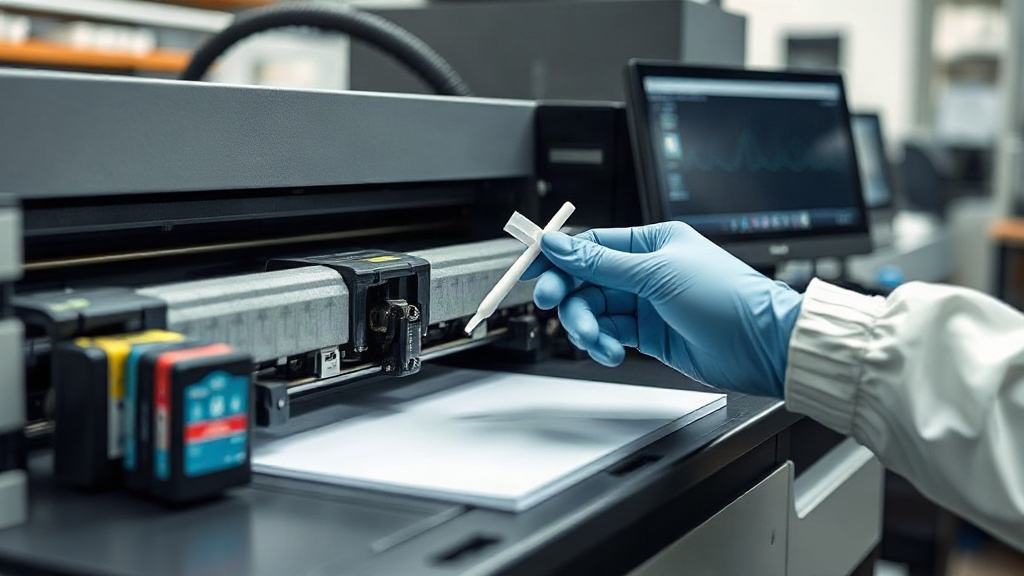
Before you print anything, run a nozzle check pattern. This quick test reveals any clogged nozzles. If you see gaps, perform a head cleaning cycle. Most printers have a built-in cleaning function, but I also recommend manually cleaning the printhead with a lint-free swab and a dedicated cleaning solution. Gently wipe the nozzle plate to remove dried ink. Never use alcohol or harsh solvents; they can damage the printhead.
2. Shake Ink Cartridges or Bags
Pigment inks separate over time. Give each cartridge or ink bag a gentle shake to redistribute the particles. This is especially important for white ink. If you use a bulk ink system, stir the ink reservoir with a clean, dedicated stirrer. Do this daily to maintain consistent color and prevent sedimentation that can block lines.
3. Check and Clean the Capping Station
The capping station seals the printhead when idle, preventing it from drying out. But it can accumulate ink and debris. Wipe the rubber cap with a damp cloth and a bit of cleaning solution. Make sure the cap fits snugly. A dirty capping station can lead to air leaks, causing ink to dry in the nozzles.
4. Purge a Small Amount of Ink
Run a short purge cycle to push fresh ink through the lines. This helps clear any settled particles and keeps the ink flowing. It wastes a tiny amount of ink but is far cheaper than replacing a printhead. I do this every morning before starting a print job.
Weekly Maintenance Tasks
Once a week, go a bit deeper to prevent long-term issues.
1. Deep Clean the Printhead
Use a cleaning cartridge or a syringe with cleaning solution to flush the printhead. Follow your printer's manual for the exact procedure. This removes stubborn ink deposits that daily cleanings miss. If you notice persistent banding, a deep clean often resolves it.
2. Inspect Ink Lines and Dampers
Check the ink tubes for air bubbles or blockages. Air in the lines can cause printing gaps. If you see bubbles, purge the lines until they're clear. Also, inspect the dampers (small filters near the printhead) for clogs. Replace them if they look discolored or stiff.
3. Clean the Encoder Strip and Rails
The encoder strip is a clear plastic strip with fine lines that tells the printhead where to position. Dust or ink splatters can cause misalignment. Gently wipe it with a dry, lint-free cloth. Also, clean the metal rails and lubricate them with a light machine oil to ensure smooth movement.
4. Check the Powder Shaker and Curing Oven
Your DTF printer is only part of the system. The powder shaker and curing oven also need care. Remove any clumped powder from the shaker and clean the mesh. In the oven, wipe down the heating elements and check the temperature accuracy with an infrared thermometer. Consistent curing ensures the adhesive melts properly.
Monthly Maintenance and Long-Term Care
Once a month, take time for these additional checks to extend the life of your equipment.
1. Replace Consumables
Swap out the capping station, wiper blade, and ink filters if they show wear. These inexpensive parts protect your printhead. I keep spares on hand and replace them every 2-3 months, depending on usage.
2. Calibrate the Printer
Run a calibration test to ensure color accuracy and alignment. This is crucial if you notice slight shifts in print quality. Most DTF printers have a calibration wizard in the software. Follow it to adjust the printhead alignment and color profiles.
3. Update Firmware and Software
Manufacturers often release firmware updates that improve performance and fix bugs. Check the manufacturer's website monthly and install any updates. Also, keep your RIP software current for the best color management.
Common Mistakes to Avoid
Even well-meaning operators make these errors. Steer clear of them to avoid costly repairs.
- Neglecting white ink: White ink is the most problematic. If you don't use it daily, run a small purge to keep it flowing. Consider a white ink circulation system if your printer supports it.
- Using the wrong cleaning solutions: Always use solutions designed for DTF inks. Harsh chemicals can dissolve printhead components.
- Leaving the printer idle for days: If you're going on vacation, perform a deep clean and cap the printhead properly. Better yet, have someone run a daily purge.
- Ignoring humidity: Low humidity causes ink to dry faster. Keep your print room between 40-60% relative humidity. A small humidifier can help.
Building a Maintenance Schedule That Works
Consistency is key. I recommend creating a checklist and setting reminders. Here's a sample schedule you can adapt:
- Daily: Nozzle check, shake inks, clean capping station, purge.
- Weekly: Deep clean printhead, inspect lines and dampers, clean encoder strip and rails, maintain powder shaker and oven.
- Monthly: Replace consumables, calibrate, update firmware.
Stick to it, and you'll notice fewer clogs, vibrant prints, and a happier bottom line.
Frequently Asked Questions
How often should I clean my DTF printer's printhead?
Clean the printhead daily with a gentle wipe, and perform a deep clean weekly. If you print infrequently, at least run a nozzle check and purge every other day to prevent clogs.
What causes white ink to clog in DTF printers?
White ink contains heavy titanium dioxide particles that settle quickly. Without daily circulation or shaking, these particles can block the printhead and ink lines. Regular agitation and purging are essential.
Can I use distilled water to clean my DTF printhead?
No, distilled water alone isn't effective for DTF inks. Use a dedicated DTF cleaning solution that's formulated to dissolve pigment inks without damaging the printhead. Always follow the manufacturer's recommendations.
How do I store my DTF printer if I won't use it for a week?
Perform a deep clean, cap the printhead securely, and if possible, leave the printer powered on to allow automatic maintenance cycles. If you must turn it off, run a cleaning cycle before shutting down and store it in a dust-free, temperature-controlled environment.
What are signs that my DTF printer needs professional servicing?
If you experience persistent banding, missing colors, or error messages after performing regular maintenance, it might be time for a professional check. Also, if the printhead fails to respond to cleaning, a technician may need to replace it.