
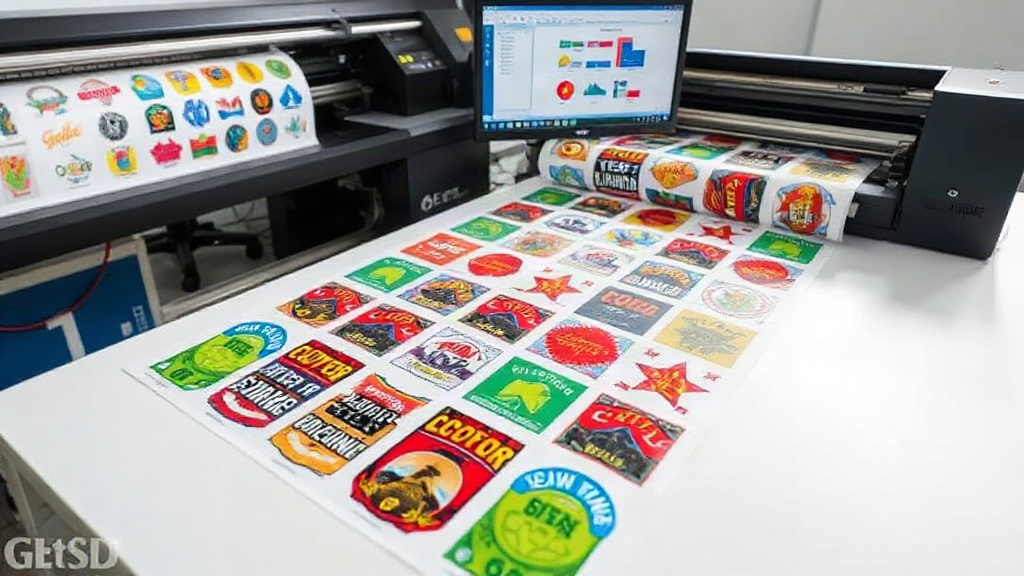
If you're in the custom apparel business, you know that DTF printing has revolutionized the way we transfer designs onto fabrics. But are you getting the most out of your DTF printer? One of the biggest game-changers for efficiency and cost savings is using a DTF gangsheet builder. This tool allows you to arrange multiple designs onto a single sheet, minimizing waste and maximizing your production speed. In this article, we'll dive deep into what a gangsheet builder is, why it's essential, and how to use it effectively to grow your business.
What is a DTF Gangsheet Builder?
A DTF gangsheet builder is a software tool that helps you nest multiple designs onto a single DTF film sheet. Instead of printing one design at a time, you can combine several designs, varying in size and shape, into one large sheet. This is similar to gang printing in traditional offset printing, where multiple jobs are combined to save time and materials. With DTF, the benefits are even more pronounced because you can mix and match designs without worrying about color separations or plate setups.
Why Use a DTF Gangsheet Builder?
There are several compelling reasons to incorporate a DTF gangsheet builder into your workflow. Let's explore the key advantages.
Cost Savings
DTF film and powder are consumables that add up quickly. By using a gangsheet builder, you can significantly reduce waste. Instead of leaving large empty spaces between designs, the builder nests them tightly, making the most of every inch of film. This means you buy fewer supplies and lower your cost per print. Additionally, you save on labor because you handle fewer sheets.
Time Efficiency
Time is money. Printing one design at a time is slow and inefficient. With a gangsheet builder, you can prepare a single sheet with dozens of designs, print it all at once, and then cut them apart. This drastically reduces the time spent loading film, pressing, and curing. You can fulfill larger orders faster and take on more projects.
Consistency and Quality
When you print multiple designs on one sheet, they all go through the same printing, powdering, and curing process. This ensures consistent quality across all transfers. You avoid variations that can occur when printing separately. Plus, the gangsheet builder helps you maintain proper spacing, so there's no risk of designs bleeding into each other.
How to Use a DTF Gangsheet Builder Effectively
Now that you understand the benefits, let's get into the nitty-gritty of using a gangsheet builder. Follow these steps to optimize your workflow.
Choose the Right Software
There are several gangsheet builders available, from standalone programs to plugins for popular design software. Look for one that offers automatic nesting, allows you to import various file formats, and gives you control over spacing and orientation. Some tools even integrate with your printer's RIP software for a seamless process.
Prepare Your Designs
Before you start nesting, make sure your designs are print-ready. This means they should be in CMYK or RGB (depending on your printer), at 300 DPI, and with transparent backgrounds. Crop them to the actual print size and remove any unnecessary elements. Proper preparation ensures that the gangsheet builder can nest them efficiently.
Set Up the Sheet Size
Determine the size of your DTF film roll or sheet. Common widths are 13, 17, 24, and 36 inches. The length can be customized. In your gangsheet builder, set the sheet dimensions to match your film. This helps the software calculate the best arrangement.
Arrange Designs for Optimal Nesting
Most gangsheet builders have an auto-nest feature, but you can also manually adjust. Here are some tips:
- Group similar sizes together to minimize gaps.
- Rotate designs if allowed to fill awkward spaces.
- Leave a small margin (0.1-0.2 inches) between designs for easy cutting.
- Place larger designs first, then fill gaps with smaller ones.
Print and Process
Once your gangsheet is ready, send it to your DTF printer. Print the sheet, apply hot melt powder, and cure it. Then, cut the individual transfers apart. You can use a cutter or scissors. Now you have a batch of transfers ready to press onto garments.
Tips for Maximizing Your Gangsheet Efficiency
To get the most out of your DTF gangsheet builder, consider these advanced tips:
Optimize Ink Usage
DTF printing uses white ink as a base, which can be expensive. Some gangsheet builders allow you to adjust white ink density or even skip it for certain designs if not needed. However, be cautious: white ink is crucial for vibrant colors on dark fabrics.
Use Roll Film Wisely
If you're using roll film, you can create long gangsheets that run continuously. This reduces the number of times you load film and can lead to significant time savings. Just ensure your printer can handle long sheets without misalignment.
Batch Similar Orders
If you have multiple orders that use the same design, print them together on one gangsheet. This is perfect for team uniforms or bulk orders. It reduces setup time and ensures consistency.
Keep a Library of Common Designs
Save frequently used designs in your gangsheet builder's library. When a new order comes in, you can quickly add them to a sheet without re-importing.
Common Mistakes to Avoid
Even with a great tool, mistakes can happen. Here are pitfalls to watch out for:
- Overcrowding: Leaving too little space between designs can cause cutting errors or ink bleeding.
- Forgetting to Mirror: DTF transfers must be printed mirrored. Ensure your gangsheet builder mirrors the designs automatically or manually.
- Inconsistent Sizing: Double-check that all designs are at the correct scale before printing.
- Ignoring Printer Limitations: Some printers have maximum sheet lengths. Stay within those limits to avoid jams.
Frequently Asked Questions
What is the best DTF gangsheet builder software?
The best software depends on your needs. Popular options include DTF Station's Gangsheet Builder, ProRIP, and AcroRIP. Look for features like auto-nesting, support for multiple file formats, and ease of use. Many DTF printer manufacturers provide their own builder, so check with your printer's brand first.
Can I use a gangsheet builder with any DTF printer?
Yes, most gangsheet builders are software-based and can work with any DTF printer as long as you can export the arranged sheet as a printable file (usually PDF or TIFF). However, some builders are optimized for specific printer models or RIP software, so verify compatibility.
How much can I save by using a gangsheet builder?
Savings vary based on your volume and design sizes, but many users report reducing film waste by 30-50%. This translates to significant cost savings on consumables. Additionally, time savings can allow you to take on more jobs, increasing revenue.
Is it hard to learn how to use a gangsheet builder?
Most gangsheet builders are user-friendly with intuitive interfaces. If you're familiar with basic design software, you'll pick it up quickly. Many providers offer tutorials and customer support to help you get started.
What file formats do gangsheet builders support?
Common formats include PNG, JPG, PDF, and TIFF. For best results, use transparent PNGs or vector files. Some builders also support native files from Adobe Illustrator or CorelDRAW.
Conclusion
Incorporating a DTF gangsheet builder into your printing workflow is a smart move for any business looking to scale. It saves time, reduces waste, and ensures consistent quality. By following the tips and best practices outlined here, you can optimize your gangsheets and boost your bottom line. If you haven't tried one yet, now is the time to explore the options and see the difference it makes.